Every estimate starts with a takeoff, and the tool you use to produce it shapes how fast you can bid and how much you can trust the numbers. Some contractors still measure paper plans with a scale ruler and highlighter. Many have moved to on-screen digital takeoff, and a growing number work directly from 3D models. This guide explains how construction takeoff software works, how it compares with manual takeoff, which features matter when you choose a tool, and when it makes more sense to outsource the takeoff altogether.
If you are new to the topic, start with our explainer on what a takeoff is in construction and our comparison of takeoff vs estimate. This article focuses on the tools.
What Is Construction Takeoff Software?
Construction takeoff software is a program that lets an estimator measure and count quantities directly from digital drawings. Instead of printing sheets and measuring with a scale, the estimator loads PDF or CAD plans, calibrates the scale on each sheet, and traces lines, areas and items with a mouse or pen. The software calculates lengths, areas, volumes and counts and organizes them by trade, area or cost code.
The output is the same thing a manual takeoff produces: a list of quantities such as linear feet of wall, square feet of slab, cubic yards of concrete, number of doors or fixtures. The difference is speed, traceability and how easily those quantities move into the estimate.
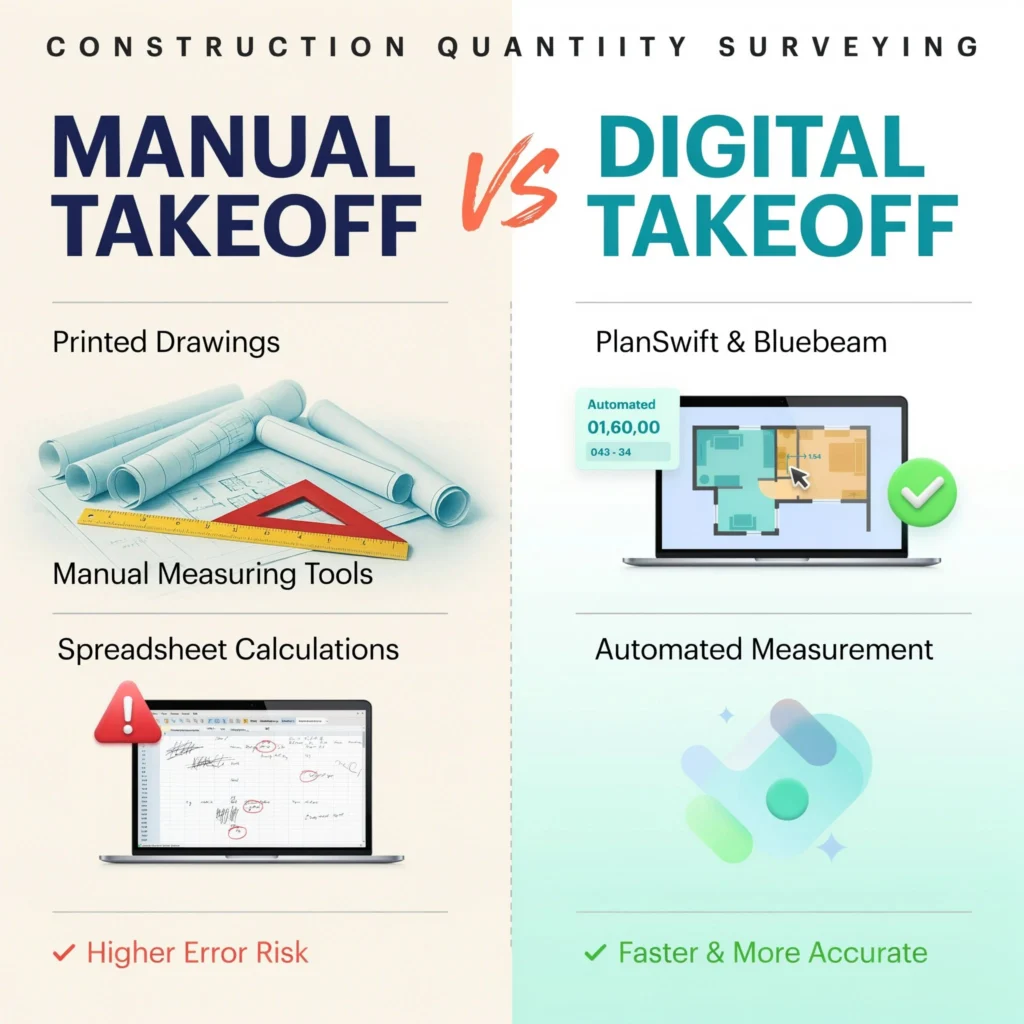
Manual vs Digital Takeoff: How They Compare
Manual takeoff
Manual takeoff uses printed plans, a scale ruler, colored markers and a calculator or spreadsheet. It needs no software and suits very small jobs or contractors who bid only a few projects a month. The downsides are time, printing costs, and the risk of arithmetic or transcription errors, especially when addenda change the drawings after you have already measured them.
Digital (on-screen) takeoff
On-screen takeoff tools work from PDF drawings. Measurements are color-coded on the sheet, so anyone reviewing the takeoff can see exactly what was counted and what was missed. When an addendum arrives, many tools let you overlay the revised sheet on the original to spot changes. Quantities can usually be exported to a spreadsheet or linked to an estimating database.
Model-based (BIM) takeoff
On projects designed in 3D, some tools extract quantities directly from the building information model. This can be very fast for elements that are modeled accurately, but the takeoff is only as good as the model. Items that are not modeled, or are modeled loosely, still need to be measured from 2D drawings and specifications.
Key Features to Look For in Takeoff Software
Takeoff tools range from simple PDF measuring utilities to full estimating platforms. When you compare options, focus on how well each one fits your trade and workflow rather than the length of the feature list.
- Scale calibration per sheet. Plans often mix scales, and detail sheets differ from floor plans. The tool should make it easy to set and verify the scale on every page.
- Linear, area, volume and count tools. These are the basics. Check that you can add depth or height to areas to get volumes, and deduct openings from wall areas.
- Assemblies or formulas. Being able to attach an assembly to a measurement, for example a wall type that generates studs, plates, drywall and insulation from one linear measurement, saves a lot of time for repeat work.
- Revision and overlay tools. Comparing drawing versions helps you catch addendum changes before bid day.
- Trade-specific templates. Concrete, drywall, electrical, plumbing and HVAC contractors measure different things. Some tools are general; others are built for a specific trade.
- Export and integration. Quantities should flow cleanly into your estimating spreadsheet or software without retyping.
- Collaboration and cloud access. If more than one estimator works on a bid, shared projects and version control matter.
- Learning curve and support. A powerful tool that nobody on the team is trained to use will slow you down.
Common Types of Takeoff Tools Contractors Use
Contractors typically use one of four kinds of tools. PDF markup programs, such as Bluebeam Revu, include measurement features and are widely used for quick takeoffs and plan review. Dedicated on-screen takeoff programs, such as PlanSwift or On Center’s On-Screen Takeoff, focus on measuring and organizing quantities. Cloud-based takeoff platforms run in a web browser and make it easier to share projects between estimators. Trade-specific estimating systems combine takeoff with pricing databases for one trade, such as electrical or mechanical work. Features and pricing change often, so compare current versions directly with each vendor and use free trials on a real set of plans before you commit.
What Takeoff Software Cannot Do for You
Software speeds up measuring, but it does not replace estimating judgment. Common gaps include:
- Reading the specifications. The drawings show where things go; the specs often define what they are. Material grades, finishes and installation requirements change the price.
- Catching scope gaps. Items shown only in details, schedules or notes are easy to miss if you only trace plan views.
- Applying waste and coverage factors. Waste, laps, overlaps and coverage rates depend on the material and the job. The software applies whatever factors you enter, right or wrong.
- Checking the scale. A sheet that was printed or scanned at the wrong size will produce wrong quantities unless the estimator verifies the scale against a known dimension.
The most reliable approach is a clear process: review the full drawing set and specifications, set up the project by trade and area, measure systematically, then check totals against quick rule-of-thumb quantities before pricing.
How to Choose Between Software and Outsourcing
Buying takeoff software makes sense when you bid regularly, have an estimator with time to learn it, and work mainly in one or two trades. The real cost is not only the license; it is the training time, the hours spent on each takeoff, and the cost of errors while the team is learning.
Outsourcing the takeoff often makes more sense when:
- You bid in bursts and do not want to pay for software and staff time that sits idle between bids.
- You need to bid more projects than your in-house team can handle.
- A project involves trades you do not normally estimate.
- You want a second, independent set of quantities to check your own numbers on a large bid.
Many contractors use a mix: they keep simple takeoffs in-house and send larger or unfamiliar projects to a professional takeoff service.
Frequently Asked Questions
Is construction takeoff software accurate?
The software measures exactly what you trace, so its accuracy depends on correct scale calibration, a complete review of the drawings and specifications, and sensible waste factors. Errors usually come from the setup and the estimator, not the math.
Can I do a takeoff from a PDF?
Yes. Most digital takeoff tools work from PDF drawings. Check that the PDF is vector-based or a clean scan, and verify the scale on each sheet against a known dimension before measuring.
What is the difference between takeoff software and estimating software?
Takeoff software measures quantities. Estimating software applies material prices, labor rates, equipment, overhead and profit to those quantities to produce a bid price. Some products combine both; others integrate through exports.
Do small contractors need takeoff software?
Not always. A contractor who bids a handful of small jobs a month may do fine with manual takeoffs or a spreadsheet. As bid volume grows, digital takeoff usually saves time and makes it easier to review and update quantities.
Can CSI Estimation provide takeoffs instead of me buying software?
Yes. CSI Estimation prepares detailed quantity takeoffs and cost estimates from your plans for most trades, so you can bid without investing in software and training. See our quantity takeoff services and material takeoff services.
Get Accurate Takeoffs Without the Learning Curve
Whether you use takeoff software or not, the quantities in your bid need to be complete and correct. CSI Estimation’s estimators produce trade-by-trade takeoffs and construction cost estimates from your drawings, organized so you can price them or plug them straight into your bid. Contact CSI Estimation to send your plans and request a quote.